


Changelog
Day 16
 Mac app version 0.5.2
Daytwo finds Claude Code wherever it's installed
Daytwo skips wrappers and shims that can't run on their own and uses the Claude Code behind them.
Day 15
Mac app version 0.5.1Daytwo finds Claude Code from Homebrew
A Claude Code installed with Homebrew now shows as installed.
- Daytwo needs Claude Code 2.1.311 or newer.
Day 10
Mac app version 0.5.0Invite clients as guests
Invite a client to their site from Settings, People. They edit and publish that site like anyone on your team, but don't see your other sites, team or billing.
- Guests can connect their own Slack to their site, on their own Anthropic key.
Day 8
Mac app version 0.4.0Daytwo runs on Intel Macs
Macs with an Intel chip now get their own build.
- Sites on Next.js older than 15.5 say why they can't connect.
Day 5
Mac app version 0.3.1The editor sticks to what you ask
Change a price or a headline and the editor updates it, without warning that it no longer matches your Brand page. It never makes up prices, guarantees, dates or job details: where a page needs one, it leaves a placeholder and tells you.
- After a change, the editor can offer one next step in a card, like linking a new page from the menu or redirecting a page you moved.
- On a site with several languages, a request that names no language updates every language.
- The Brand page shows your design, About and Rules. Facts and page lists are gone, and Brand check no longer adds findings to the Inbox.
- Replies are shorter and plainer.
Day 5
Mac app version 0.3.0See your site at real screen sizes
The canvas lays your page out at the real width and scales it to fit: Desktop, Tablet, Phone, or a size you type. Click anything on the page to see what it is in plain words, with its tools in one bar.
- Saving an edit updates the page in place, without a reload, and outlines what changed.
- Unsaved edits show as small chips above the chat box. Hover one to see what changed.
- The link editor searches your pages, or takes a link you paste.
- Position only shows on pictures their frame crops.
- The chat moves to the newest message when a change finishes.
Day 4
Mac app version 0.2.6Invited teammates get set up
Teammates who join from an invite now start on Get ready, so their Mac can edit before they open a draft. Do this later skips it on that Mac.
- The shared Slack channel is offered once per workspace, and asks for the email you use in Slack.
- After an update, the release notes cover every version you skipped.
- When a Next.js site won't start, the error shows what its dev server reported.
Day 4
Mac app version 0.2.5Your dev server keeps its port
If your site's dev script sets a fixed port, drafts now run on another one, so you can still start the site yourself on its usual port. An Astro script that sets it with --port keeps it for one draft at a time.
Day 4
Mac app version 0.2.4Multilingual sites in the page picker
On a site with several languages, the page picker lists the pages of the language on screen, with their names and URLs in that language. The globe lists every language the site has.
- An app left open updates to the newest build, not the first one it downloaded.
- Collection pages show in the page picker when a layout loads a stylesheet from a package.
- The canvas shows one loading state, with an estimate of how long it takes.
- A draft whose folder was deleted says so instead of loading forever.
- Long translated URLs fit the language menu.
Day 2
Mac app version 0.2.3Astro sites on Cloudflare
Astro sites that build on Cloudflare Workers can now connect, not just sites on Vercel. Drafts get their previews from Cloudflare and publish the same way.
- Move a site to another workspace from its settings. Its chats and history go with it.
- Review requests sum up what the draft changes. A reviewer asked again sees only what moved since.
- The brand cover uses the logo from your site's header.
Day 2
Mac app version 0.2.2Reviews say who they wait on
While a draft is in review, its Publish button says who still needs to approve it. Reviewers now see the draft's pages in the Mac app too.
- If you change a draft after sending it for review, Approve waits until the new version is ready.
- The update button shows what's new before you restart.
- Sites that keep their content in JSON files list those pages in the page picker.
- The preview link opens the page you're on.
- Drafts have a new icon, and an empty Drafts list offers New draft.
Day 2
Mac app version 0.2.1Drafts start on more sites
Sites built with a recent version of Bun now open in a draft. Before, the first draft stopped with an error about dependencies.
- Two drafts of the same site can start at once.
- An error screen always has a way back to Home.
- Connecting GitHub for the first time no longer breaks the connect screen.
Day 1
Mac app version 0.2.0Work on the same draft together
A teammate can now open your draft on their own Mac and start a chat there. Changes go in one at a time, so you can both keep working.
- The review screen shows a draft's code.
- Choose which emails and Mac notifications you get.
- Sites that set a fixed dev port can run several drafts at once.
Day 1
Mac app version 0.1.3Daytwo is live
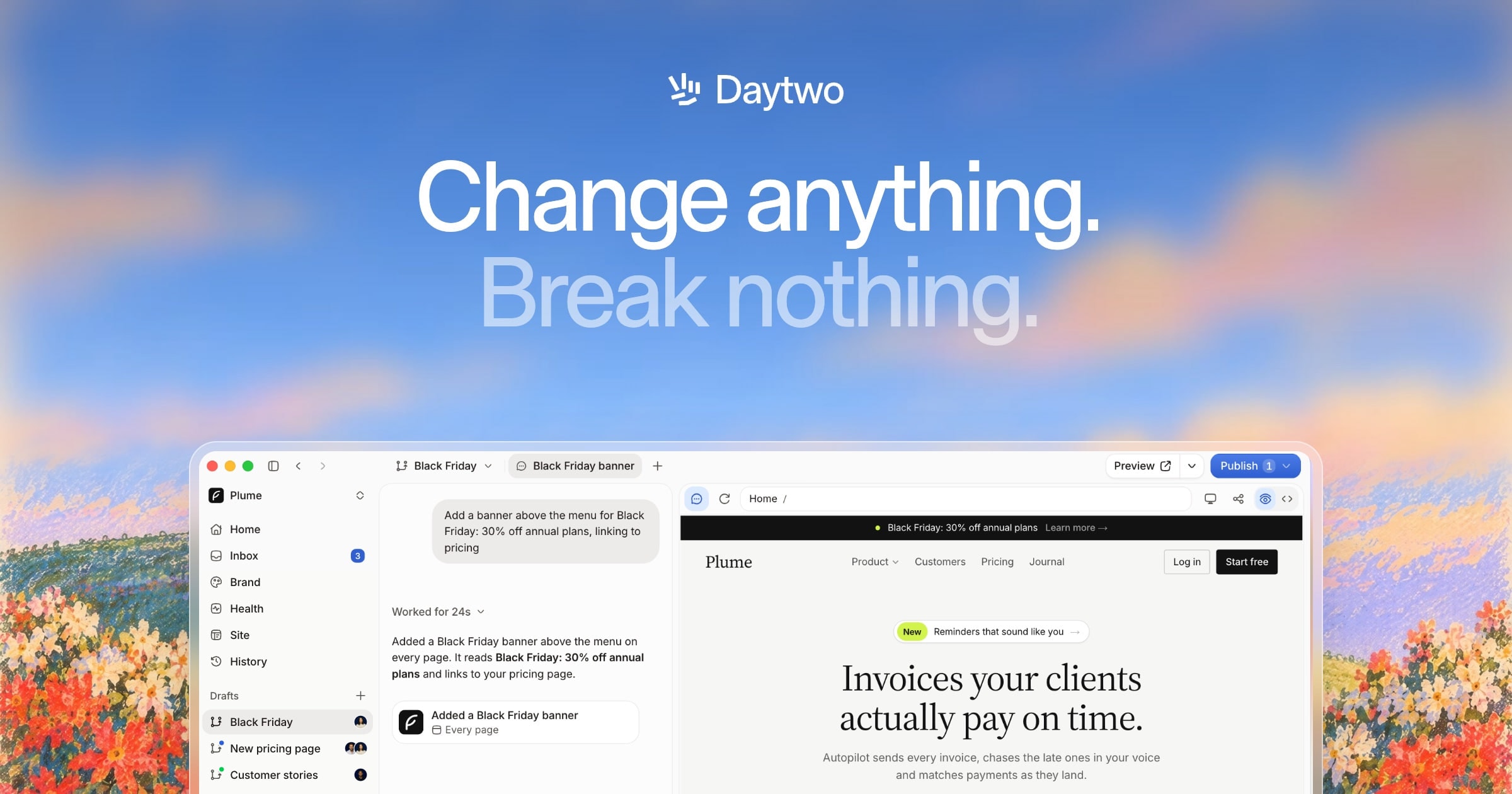
Download the Mac app and change your Next.js or Astro site from a live canvas and chat. Every change stays in a draft until you publish it.